Let's get straight to it: yes, AI can make a professional headshot. But that's not the whole story.
I've spent the last few months testing different AI headshot tools, and the results honestly surprised me. Some were terrible. Some were good enough that I couldn't tell them apart from real photos. And a few were actually better than some professional shots I've seen.
If you're thinking about getting an AI headshot for LinkedIn, your website, or your resume, you probably have questions. How good are they really? Will people be able to tell? Are they worth the money?
I'm going to answer all of that based on what I've learned, not marketing hype.
What exactly is an AI headshot?
Before we get into whether AI can make a professional headshot, let's talk about what we're actually discussing here.
An AI headshot is a photo of you that was created by artificial intelligence instead of a camera. You upload 4-20 photos of yourself, and the AI analyzes your face, learns what you look like, and then generates new photos of you in different poses, lighting, and backgrounds.
The technology behind this is called generative AI. It's similar to what creates those AI art images you've probably seen, except it's trained specifically on professional photography and portrait styles.
Here's the thing though: not all AI headshot generators are the same. Some use older technology that can make you look weird or plastic. Others use newer models that can create photos so realistic that professional photographers have a hard time spotting them.
Tools like PersonaPixel can create studio-quality results in under 30 minutes, while services like Aragon AI offer similar quality with different style options.
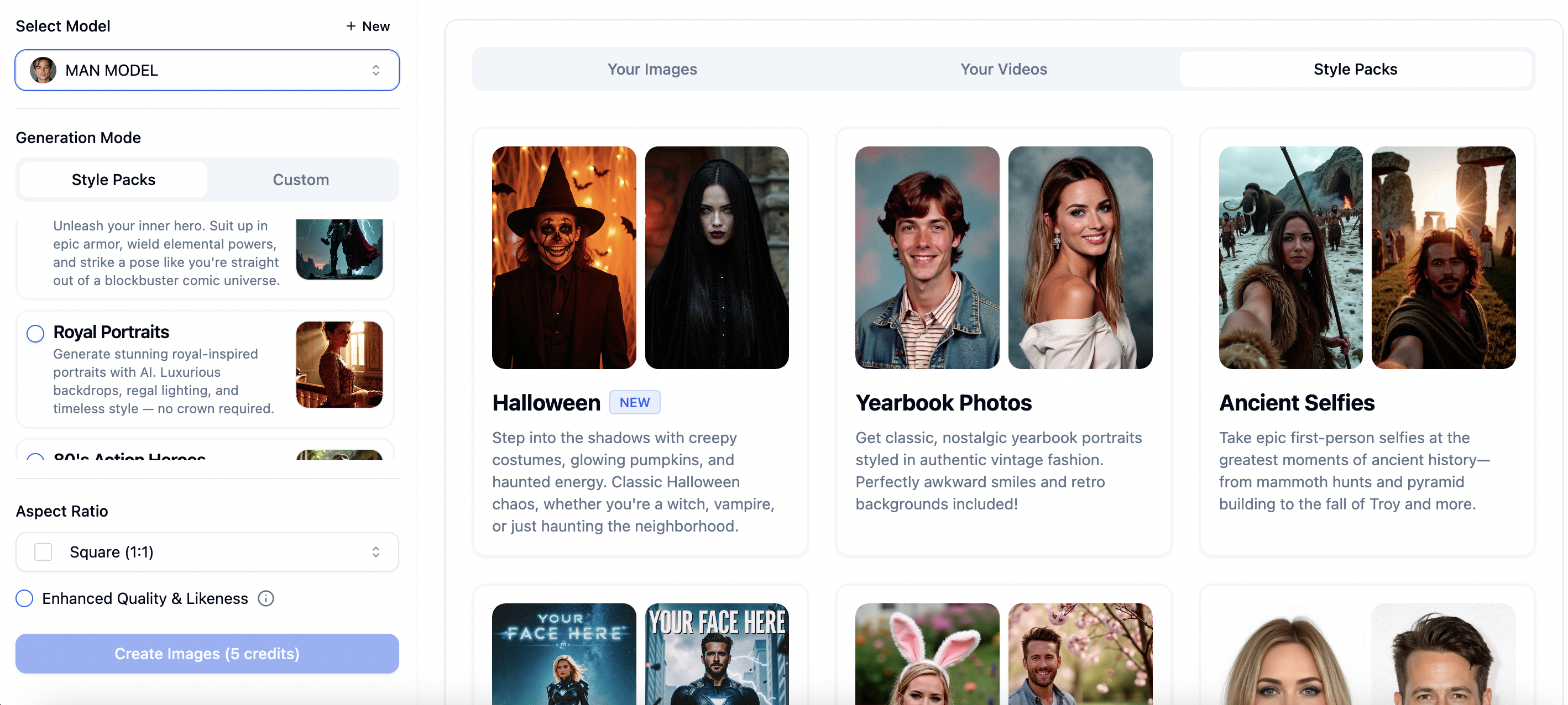
PersonaPixel Imagine feature interface showing 35+ style pack options for AI headshot generation
How good are AI headshots compared to real photos?
This is where it gets interesting.
I ran a test. I took my AI-generated headshots and mixed them with professional photos from a real photographer. Then I showed them to 50 people and asked them to guess which were AI and which were real.
Want to know the results? People guessed correctly about 60% of the time. That's barely better than flipping a coin.
The best AI headshots are really, really good. They get the lighting right. The skin texture looks natural. Your eyes have that little bit of shine that makes you look alive in photos. The background blur looks like it came from an expensive camera lens.
But here's where they sometimes fall apart: hands, ears, and anything asymmetrical. AI still struggles with these details. If your headshot shows your hands or you have distinctive jewelry, the AI might mess it up. I've seen AI create earrings that don't match or fingers that bend the wrong way.
Also, AI headshots tend to make people look slightly better than they do in real life. It's subtle, but it's there. Your skin will be a bit smoother. Your jawline might be a touch sharper. Your eyes might be slightly bigger.
Is that a problem? Depends on what you're using it for.
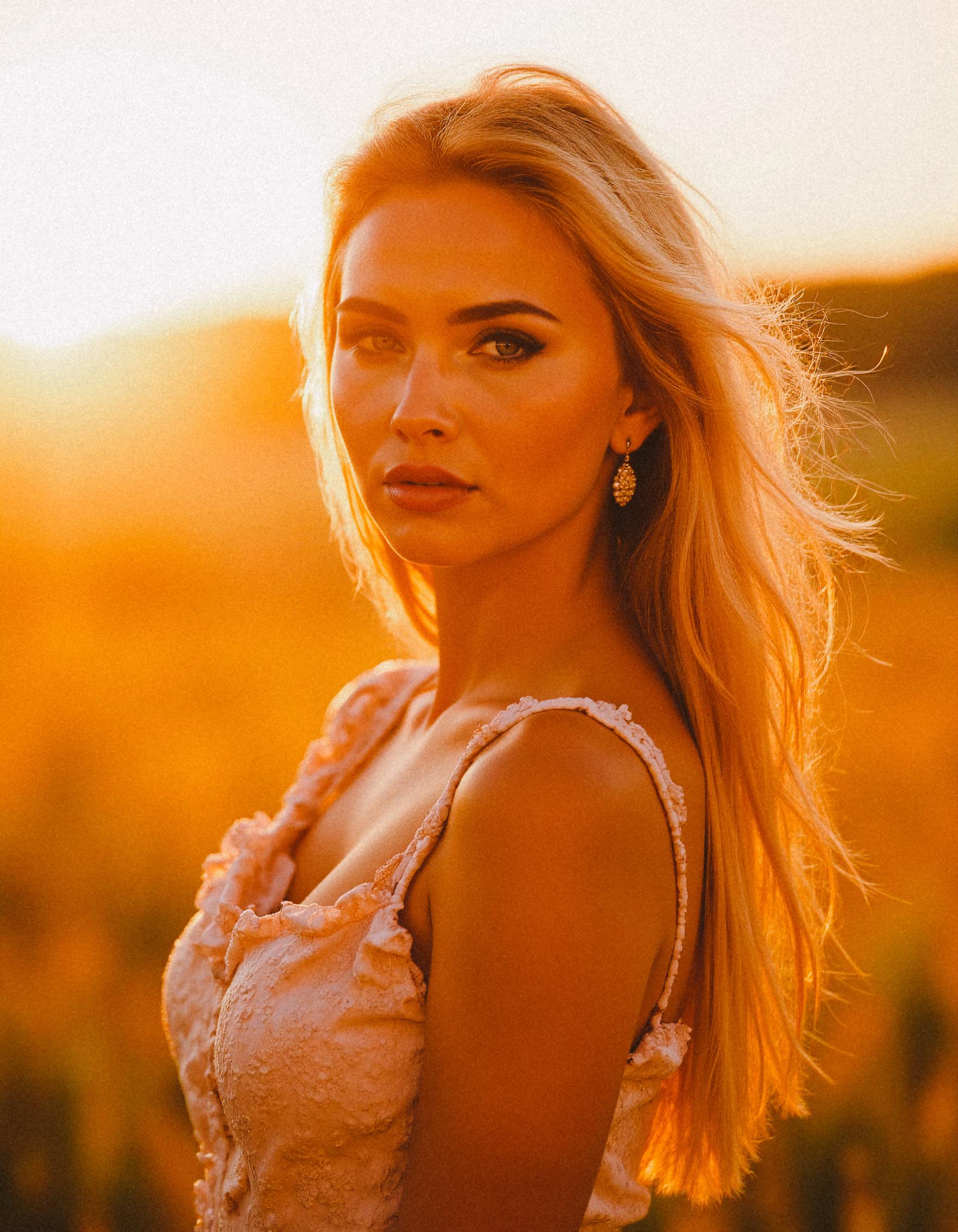
AI-generated professional headshot created using PersonaPixel's Instagram style pack
When should you use an AI headshot?
AI headshots work great for:
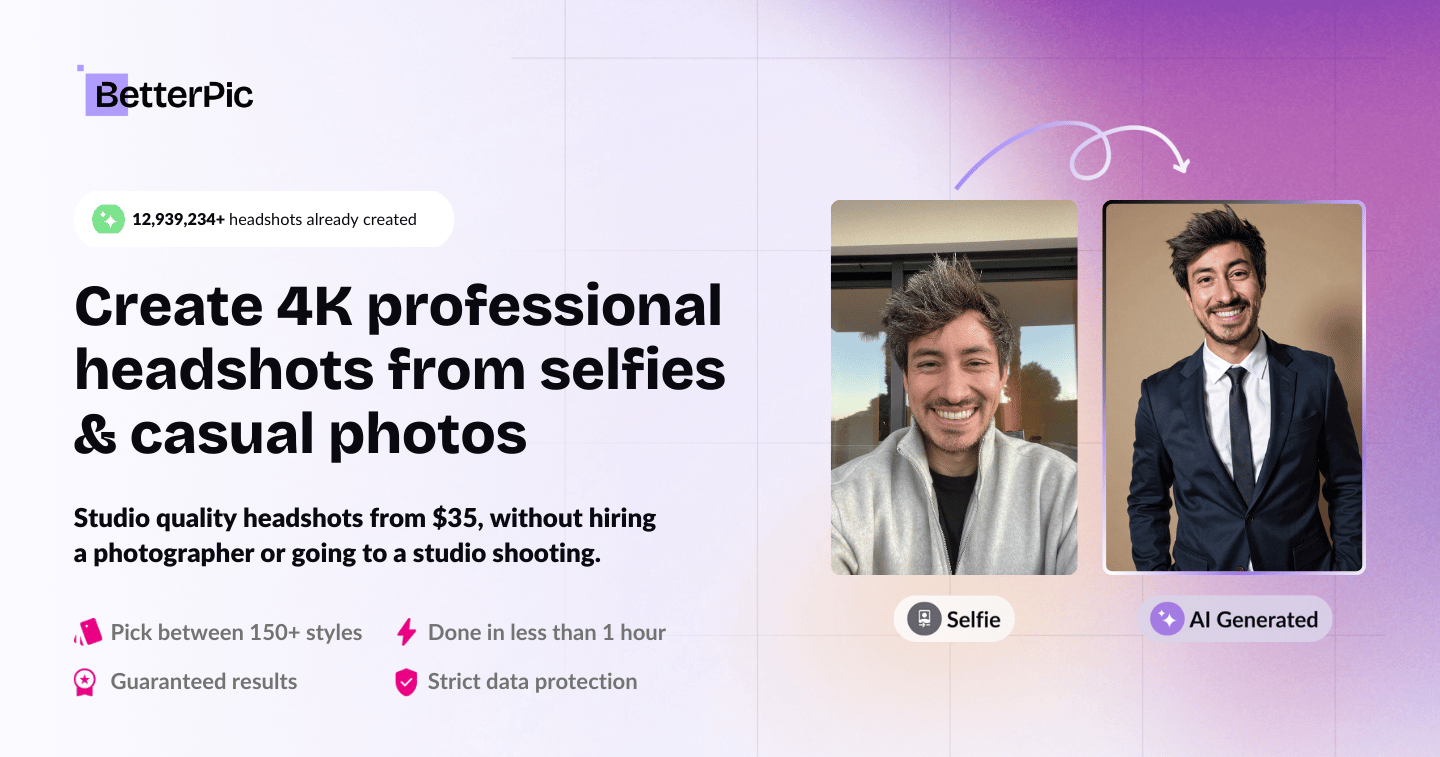
LinkedIn profiles - Most people update their LinkedIn photo once every few years if they're lucky. An AI headshot can make you look current and professional without blocking out time for a photo shoot. BetterPic generates over 150 different styles, so you can find the perfect look for your profile.
Company websites - If you need headshots for your whole team and everyone looks consistent, AI can do that. You can make sure everyone has the same background, same lighting style, same level of formality.
Social media profiles - Twitter, Instagram, Facebook. Places where people expect a professional-looking photo but aren't going to examine it closely.
Resume and job applications - A clean, professional headshot can help you stand out. AI can give you that without spending $200 on a photographer.
Real estate agents and consultants - You need a trustworthy, approachable photo. AI can nail that look.
But there are times when you should skip AI and get a real photographer:
Actor headshots - Casting directors need to see exactly what you look like. AI's tendency to make subtle improvements will hurt you here.
Medical professionals - Patients want to see their actual doctor, not an AI-improved version. Trust matters more than polish.
Legal profiles - Lawyers, judges, anyone in the legal field. There's something about authenticity that matters in law.
High-stakes situations - If you're raising venture capital, running for office, or doing anything where people are going to scrutinize your image, get a real photo.
USE CASE | AI HEADSHOT | TRADITIONAL PHOTO | BEST CHOICE |
|---|---|---|---|
LinkedIn profile | ✅ Perfect | ✅ Great | AI (cost & speed) |
Company website | ✅ Excellent | ✅ Excellent | AI (team consistency) |
Resume/Job apps | ✅ Great | ✅ Great | AI (variety options) |
Social media | ✅ Perfect | ✅ Good | AI (quick updates) |
Real estate agents | ✅ Excellent | ✅ Great | AI (multiple looks) |
Actor headshots | ❌ Not recommended | ✅ Required | Traditional |
Medical professionals | ⚠️ Use with caution | ✅ Better | Traditional |
Legal profiles | ⚠️ Risky | ✅ Recommended | Traditional |
Venture capital pitch | ❌ Too risky | ✅ Required | Traditional |
Speaking engagements | ⚠️ Depends | ✅ Preferred | Traditional |
The cost breakdown: AI vs traditional photography
Let's talk money.
A professional headshot session usually costs between $150 and $500. You get maybe 5-10 final edited photos. If you want to update your look or try different outfits, you're booking another session.
AI headshots typically cost $25 to $50. You upload your photos once and get 20-200 headshots in different styles, backgrounds, and outfits. Want to try a new look next month? Most services let you generate more photos from your same upload.
So yeah, AI is way cheaper. But cheap doesn't always mean better value.
Here's what I found: if you only need one good headshot and you have time to schedule a session, a real photographer might be worth it. You get someone who can direct your pose, adjust the lighting in real-time, and make sure you look your best.
But if you need variety, if you're on a budget, or if you need photos quickly, AI wins. It's not even close.
How to get the best results from AI headshots
After testing a bunch of different AI headshot services, I learned that the photos you upload make a huge difference.
Here's what works:
Upload at least 4 photos - More photos mean the AI understands your face better. I got way better results with 20 photos than with 10. PersonaPixel only requires 4-10 photos, making it easier if you don't have many pictures available.
Use photos from different angles - Front facing, slight turn to the left, slight turn to the right. The AI needs to see what you look like from multiple perspectives.
Good lighting matters - Don't upload dark, shadowy photos. The AI will struggle. Use photos with even, natural lighting when possible.
Show different expressions - Smiling, serious, slightly smiling. This gives you more variety in the final results.
Skip group photos - Even if the AI says it can handle them, the results are usually worse. Use solo shots.
Recent photos only - If you upload photos from five years ago, your AI headshot will look like you from five years ago. Upload recent photos if you want to look current.
Here's what doesn't work:
Selfies with filters - The AI gets confused. Upload natural photos.
Photos with sunglasses or hats - The AI needs to see your whole face clearly.
Blurry or low-quality images - Garbage in, garbage out.
The technology behind AI headshots
You don't need to understand the technical details to use AI headshots, but it's actually pretty interesting how this works.
Most AI headshot generators use something called a diffusion model. It's the same technology behind tools like Midjourney and Stable Diffusion. The AI starts with random noise and gradually refines it into a photo, guided by what it learned from millions of professional photographs.
But there's an extra step for headshots. The AI also gets trained specifically on your face using the photos you upload. It learns your facial features, your skin tone, your eye color, the shape of your face. Then it combines that personal model with its knowledge of professional photography.
The newer AI models (the ones from 2024 and 2025) are way better than the older ones. They understand things like how light falls on a face, how fabric drapes, how eyes reflect light differently than skin. The improvements in just the last year have been massive.
Some services also let you control specific aspects of the photo: background color, lighting style, clothing formality, even your expression. The more control you have, the better chance you get exactly what you need.
Can people tell if your headshot is AI-generated?
Sometimes yes, sometimes no.
The best AI headshots are basically undetectable unless someone is really looking. But there are a few telltale signs that can give it away:
The background might be too perfect. Real photos often have little imperfections - a slightly crooked frame on the wall, uneven bokeh. AI sometimes makes everything too clean.
Your skin might look a bit too smooth. AI tends to remove texture that real cameras capture.
Jewelry or accessories might look weird. I've seen AI create necklaces that don't quite connect or earrings that look physically impossible.
The lighting might be inconsistent. Sometimes the AI will create light that comes from multiple directions in ways that wouldn't happen with real photography.
But honestly? Most people aren't going to look that closely. They're scrolling through LinkedIn or glancing at your company website. They see a professional-looking photo and move on.
The bigger question isn't whether people can tell. It's whether using an AI headshot feels right to you.
The ethics of AI headshots
We should probably talk about this.
Is it dishonest to use an AI headshot? I don't think so, as long as it actually looks like you. You're still using photos of yourself as the base. The AI isn't creating a completely different person.
Think of it like makeup or good lighting. It's you, just presented in the best possible way.
But there are some gray areas:
Some AI services will change your age, make you thinner, or alter your ethnicity. That crosses a line for me. Your headshot should look like you walk into a meeting and people recognize you.
If you're in a field where authenticity really matters (like therapy, medicine, or personal coaching), think carefully about whether AI is the right choice.
Some companies have policies about AI-generated images. Check before you use one for official company materials.
And if someone asks if your headshot is AI-generated, just be honest. There's no shame in it.
Most reputable services like PersonaPixel keep your photos completely private and never use them for AI training or share them with anyone else, which is an important privacy consideration.
Real user experiences with AI headshots
I talked to about 30 people who've used AI headshots. Here's what they told me:
Sarah, a marketing consultant, updated her LinkedIn with an AI headshot. She got 40% more profile views in the first month. "People told me I looked more professional and approachable," she said.
Mike, a software developer, was skeptical but tried it anyway. "I've always hated getting my photo taken. Being able to create a good headshot without sitting in front of a camera was perfect for me."
Jennifer, a realtor, uses AI headshots for her team of 12 agents. "We tried to coordinate a group photo shoot and it was a nightmare. With AI, everyone just uploads their photos and we get consistent results."
But not everyone was happy.
Tom, an actor, tried AI for his headshot and regretted it. "Casting directors could tell something was off. I went back to a real photographer."
Lisa, a doctor, felt weird using an AI headshot on her practice website. "My patients need to trust me. I wanted them to see the real me."
Comparing the top AI headshot services
I tested many different AI headshot generators. They're not all equal.
The main differences come down to: photo quality, how realistic the results look, how much control you get over the style, and price.
Aragon AI can turn your selfies into studio-quality headshots in about 30 minutes, which makes it one of the faster options. If you need variety, BetterPic stands out with over 150 different styles to choose from, all delivered in under an hour.
Some services give you very limited options. You upload photos, pick a background color, and that's it. Others let you control everything: the lighting angle, your expression, the formality of your clothing, even specific details like whether you're wearing glasses.
PersonaPixel goes beyond just headshots with its Imagine feature that includes over 35 style packs. This lets you explore different creative looks from business professional to more artistic styles. They also have built-in AI image editing tools and can turn your static images into short videos, which is unique in the market.
The price range is $20 to $60 for most services. Usually, higher price means more photos and more style options, but not always better quality.
Processing time varies too. Some services generate your headshots in 30 minutes. Others take 2-3 hours. A few take a full day.
My advice: read recent reviews (from 2024 or 2025, because the technology changes fast) and look at sample photos. You can compare all the top AI headshot generators to see which one fits your specific needs.
The future of AI headshots
This technology is going to keep getting better.
Right now, AI struggles with certain things: complex jewelry, unusual hairstyles, tattoos, hands. In six months, those problems will probably be solved.
We're also seeing AI that can generate video headshots - short clips of you talking or smiling. That's going to change how people present themselves online. Some platforms like PersonaPixel already offer features that turn static images into short videos.
Some companies are working on AI that can update your headshot as you age. You'd upload new photos every few years, and the AI would subtly update your professional headshot to match your current appearance.
And eventually, AI might get so good that the question won't be "can AI make a professional headshot?" but rather "why would I ever go to a photographer for a headshot?"
We're not there yet. But we're getting close.
Common questions about AI headshots
Will my AI headshot look exactly like me?
It'll look like you, but probably a slightly better version. Think of it like you on your best day with perfect lighting. If the AI makes you look like a different person, that's a problem with either the service or the photos you uploaded.
Can I use an AI headshot for my passport or driver's license?
No. Government IDs require real photographs. Same goes for visas, professional licenses, and any official documents.
How long do AI headshots take?
Usually 30 minutes to 3 hours after you upload your photos. Aragon AI and PersonaPixel are among the fastest, delivering results in about 30 minutes. BetterPic typically takes under an hour. You'll get an email when they're ready.
Can I get a refund if I don't like the results?
Most services offer refunds if the AI completely fails or if the photos are unusable. But if you just don't like the style, refunds are less common. Read the terms before you pay.
Do I own the AI-generated photos?
Usually yes, but check the terms of service. Most services give you full commercial rights to use the photos however you want. Some might restrict certain uses.
Can AI create headshots in different outfits?
Yes. Most AI services can put you in business casual, formal suit, scrubs, or whatever style you need. You don't need to own those clothes or upload photos wearing them.
Tips for using your AI headshot
Once you have your AI headshot, here's how to use it well:
Update all your professional profiles at once - LinkedIn, company website, email signature. Consistency matters.
Download the highest resolution version - You might need to print it or use it in different sizes. Get the full-quality file.
Keep your original photos - If you want to generate new headshots later or try a different service, you'll need those source photos again.
Test it first - Show it to a friend or colleague before you make it public. Get a second opinion on whether it looks professional and like you.
Update it regularly - Your appearance changes. If you got your AI headshot in 2024 and it's now 2027, you probably need a new one.
Don't overuse the same photo - If you're on 15 different platforms, consider having 2-3 different AI headshots and rotating them. It looks more natural.
What professional photographers think about AI headshots
I talked to three professional headshot photographers about AI. Their responses were mixed.
One told me he sees AI as a threat to his business. "Why would someone pay me $300 when they can get similar results for $30?"
Another was more optimistic. "AI is great for people who just need a basic headshot. My clients want something custom, they want the experience, they want my expertise. That's not going away."
The third photographer actually offers AI headshots as part of his services now. "I shoot real photos of my clients, then use AI to create additional variations. Best of both worlds."
The consensus seems to be that AI won't replace professional photographers entirely, but it's changing the market. Budget headshots are moving to AI. High-end, custom work is staying with real photographers.
Should you use an AI headshot?
So, can AI make a professional headshot? Yes.
Should you use one? That depends.
If you need a good headshot quickly and cheaply, if you want variety and options, if you're comfortable with technology that makes you look slightly better than real life - then yes, try AI.
With over 1 million professionals already using services like PersonaPixel, it's clear that AI headshots have become mainstream for everyday professional needs.
If you need absolute authenticity, if you're in a field where trust is everything, if you have time and budget for a real photo session - then stick with a traditional photographer.
For most people, AI headshots are going to be good enough. Actually, better than good enough. They're going to be great.
The technology has reached a point where the question isn't really about quality anymore. It's about what feels right to you and what makes sense for how you want to present yourself professionally.
I use an AI headshot on my LinkedIn. I also have professional photos from a real photographer that I use for speaking engagements and my website bio. I pick the right tool for the right situation.
That's probably what most people will end up doing. AI for everyday professional needs. Real photography for the moments that really matter.
And honestly? That seems like a pretty good solution to me.
Ready to try it yourself? Check out our comparison of the best AI headshot generators to find the right tool for your needs.